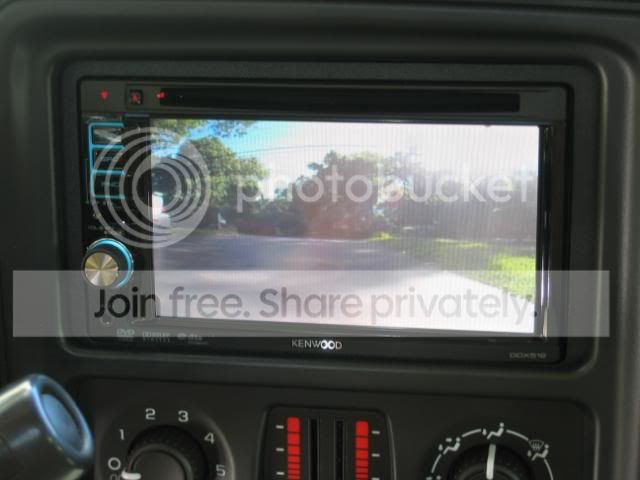
daddy's new Tahoe

daddy

I'm too LAZY to Choose a Custom Title!!!
Lifetime Supporting Member
Joined
May 17, 2009
Posts
46,700
Reaction score
72
Location
Pawnee, IN
Are you running new speaker wires from the JVC to the speakers, or will you connect to the stock speaker wires in the dash interfacing it with the stock amp? :dunno:

I don't have the Bose system. I am not certain, but I don't believe I have an amp running to the door speakers, etc. The OEM sub has been disconnected so that doesn't matter. My plan, for now, until I get new speakers and an amp for them is to just use an adapter harness and use the stock speaker wires and speakers. The new sub will obviously be using the pre-outs and a separate amp.

I know you don't have the bose system, but if you have the factory Sub, you have the "premium" system, which actually doesn have an amp in the dash above the glovebox. this amp powers all the door speakers and the sub. I know, I found this out the hard way after many people told me a dont have a factory amp, then some said I did. And I DEF do. So I know you will have one too.

That is my situation then, yes. Maybe I'll be installing new speakers sooner than I thought. :D BTW, the stock amp SUCKS. :D

Just hook it up to the speaker wires, and turn everything on, if you have an amp, you will get no sound. I'll tell you how to turn on the factory amp if you don't get any sound. Remeber, I have an 01, so everything is the same.

BTW, did you stab that pocket in place of the tape deck yet?:dunno:

What's the trick? :dunno:

Also, I had not put the pocket in place yet because I've been using the tape deck adapter to play my iPhone through. It'll go in tonight or tomorrow.

And I hope you remebered to get an antenna adapter....

Of course! :thumbs:
 

DofD

The devil's in the details and there are a lot of
Lifetime Supporting Member
Joined
May 26, 2009
Posts
2,469
Reaction score
0
Location
Victoria, B.C.
So where's all the build pictures!? :D

But really. All the exterior mods look really great on the Tahoe and the stereo stuff looks like it'll sound really great once all done. :thumbs:
 

ScottyBoy

No, that's not a banana in my pants.
Joined
Jun 5, 2009
Posts
13,668
Reaction score
3
Location
Shreveport
Yeah, the least you can do is take pictures and do a write up or somethin:dunno:
 

ScottyBoy

No, that's not a banana in my pants.
Joined
Jun 5, 2009
Posts
13,668
Reaction score
3
Location
Shreveport
Ok, Ok, I guess I'll tell you how to turn on the stock amp. :p

You will have to connect a pink wire in the factory harness to the remote wire on your JVC. Seems simple enough once you have the correct info, now doesnt it?
The aftermarket harness is misleading though, there is a connection for your remote wire in that harness although that will NOT turn on the amp. You have two harnesses plugged into the stock radio, one big harness and a smaller, 9 pin harness. The pink wire you are looking for is in that small 9 pin harness. Just connect that pink wire to your JVC remote trun on wire and all should be good.
 

daddy

I'm too LAZY to Choose a Custom Title!!!
Lifetime Supporting Member
Joined
May 17, 2009
Posts
46,700
Reaction score
72
Location
Pawnee, IN
Ok, Ok, I guess I'll tell you how to turn on the stock amp. :p

You will have to connect a pink wire in the factory harness to the remote wire on your JVC. Seems simple enough once you have the correct info, now doesnt it?
The aftermarket harness is misleading though, there is a connection for your remote wire in that harness although that will NOT turn on the amp. You have two harnesses plugged into the stock radio, one big harness and a smaller, 9 pin harness. The pink wire you are looking for is in that small 9 pin harness. Just connect that pink wire to your JVC remote trun on wire and all should be good.

Just so I am clear... I have two harnesses hooked up now but I'll only use one larger harness with the new unit plus I'll tap into one wire on the little harness that'll otherwise not be used, correct? :dunno:

Thanks for the heads up!
 

ScottyBoy

No, that's not a banana in my pants.
Joined
Jun 5, 2009
Posts
13,668
Reaction score
3
Location
Shreveport
Ok, Ok, I guess I'll tell you how to turn on the stock amp. :p

You will have to connect a pink wire in the factory harness to the remote wire on your JVC. Seems simple enough once you have the correct info, now doesnt it?
The aftermarket harness is misleading though, there is a connection for your remote wire in that harness although that will NOT turn on the amp. You have two harnesses plugged into the stock radio, one big harness and a smaller, 9 pin harness. The pink wire you are looking for is in that small 9 pin harness. Just connect that pink wire to your JVC remote turn on wire and all should be good.

Just so I am clear... I have two harnesses hooked up now but I'll only use one larger harness with the new unit plus I'll tap into one wire on the little harness that'll otherwise not be used, correct? :dunno:

Thanks for the heads up!

Yeah, that bout sums it up.
 

daddy

I'm too LAZY to Choose a Custom Title!!!
Lifetime Supporting Member
Joined
May 17, 2009
Posts
46,700
Reaction score
72
Location
Pawnee, IN
Got the head unit installed tonight with the DVD-in-park-only feature overridden. I need to find myself a cheap but decent little rear view camera to install but I'm lovin' the deck so far.

Now, when my amp gets here, I'll be all set. :thumbs:

Thanks for the advice, Scott.
 

daddy

I'm too LAZY to Choose a Custom Title!!!
Lifetime Supporting Member
Joined
May 17, 2009
Posts
46,700
Reaction score
72
Location
Pawnee, IN
I just ordered a backup cam! :D Audiovox ACA200W

Here's a shot from one of the members on GMT.

IMG_0325.jpg


For $60, it'll do all I need it to do. :D
 

ScottyBoy

No, that's not a banana in my pants.
Joined
Jun 5, 2009
Posts
13,668
Reaction score
3
Location
Shreveport
So I take it you had to hook up that pink wire eh?
Glad to hear you gotit all hooked up.

Got any pics of it installed?
 

Staff online

Members online

Latest posts

Forum statistics

Threads
28,836
Posts
1,109,352
Members
4,800
Latest member
SpeakerMan
Back
Top